

Attribute Manager Using the Folders Tree View

|
Flexible changing of the file's attributes, date and time stamps. |
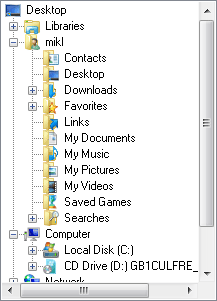
Tree View is founded on the windows shell API and it look like tree view in a standard windows explore. You can select folder by a click on it in folder tree view. If you need to work with files or folders on an up level, you may to click (Back) button on the tool bar. To extract you must double-click on a folder, or just click on a plus symbol near the folder.
Another way, is to use arrows key. If you need to work with files or folders on an up level, you may to press backspace button on the keyboard. To extract or unextract use right and left arrows.


| www.miklsoft.com |
Term of use
Privacy Policy
|