

Navigation Window Preferences

|
Flexible changing of the file's attributes, date and time stamps. |
Navigation Window Preferences
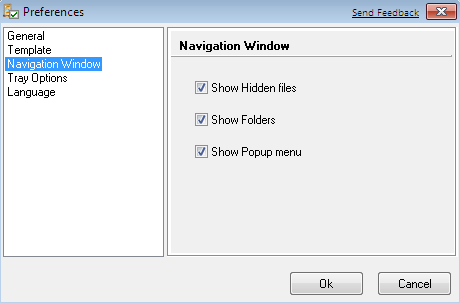
Navigation Window is provide following options:
- show hidden files - if you set this option, list view will show hidden files;
- show folders - if you set this option, list view will show folders;
- show popup menu - if you set this option, popup menu will available by right mouse button click.
To open this dialog click [Options] in main menu, then select
and click "Navigation Window". Another way is to click icon ( ) on the tool
bar and select "Navigation Window".
) on the tool
bar and select "Navigation Window".


| www.miklsoft.com |
Term of use
Privacy Policy
|