

Attribute Manager Preferences Template

|
Flexible changing of the file's attributes, date and time stamps. |
Preferences Template
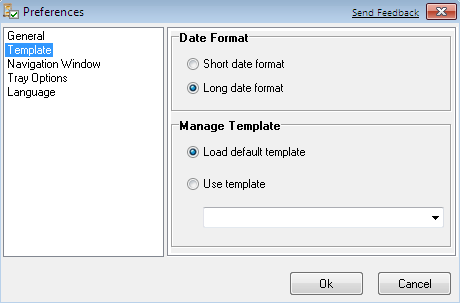
Date format
- Short date format - set short date format in the template
- Long date format - set long date format in the template
Template Adjustments
- Use default template - set this option to open template with the default adjustments.
- Use Template - select this option and then select template by expanding select box, which you want to use at the template opening.
To open this dialog click [Options] in main menu, then select
and click "Preferences". Another way is to click icon ( ) on the tool
bar and select "Preferences".
) on the tool
bar and select "Preferences".


| www.miklsoft.com |
Term of use
Privacy Policy
|