

Attribute Manager Date Time Settings

|
Flexible changing of the file's attributes, date and time stamps. |
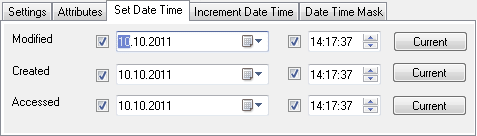
By default Date and Time select box set current date and time.
To change Date click mouse cursor to the part of date which
you need to change and fill manual value which you
need. Another way to change date is to click the arrow button at the right of
the select box. To change Time click mouse cursor to the part of the time you
need to change and fill manual value which you need, or use arrow buttons on the right.
To set current date and time use the "Current" button.
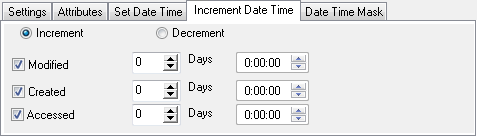
Select Increment or Decrement date & time operation.
Then check date type to modify: Modified, Created or Accessed. Set days quantity and time.
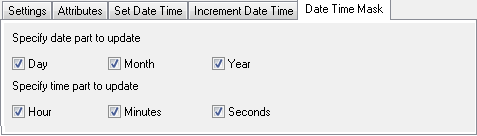
Date Time Mask is a mask for date time settings. You can specify parts of the date which you need to update (Day, Month, Year) and time parts (Hour, Minutes, Seconds), just set check boxes with this names.


| www.miklsoft.com |
Term of use
Privacy Policy
|